If your VinFast key fob has started working only at close range, needs repeated button presses, or shows a low key battery warning, the fix is usually quick and inexpensive. Most current VinFast smart keys use a CR2032 coin-cell battery, and replacing it typically takes only a few minutes with a small pry tool or flathead screwdriver. This guide explains what battery a VinFast key fob uses, how to choose the right replacement, how to replace it step by step, model-specific notes, common problems after installation, and when it makes sense to replace the whole fob instead of just the battery. If you are also researching the 12V battery side of ownership, check this VinFast battery guide for model-specific battery information.
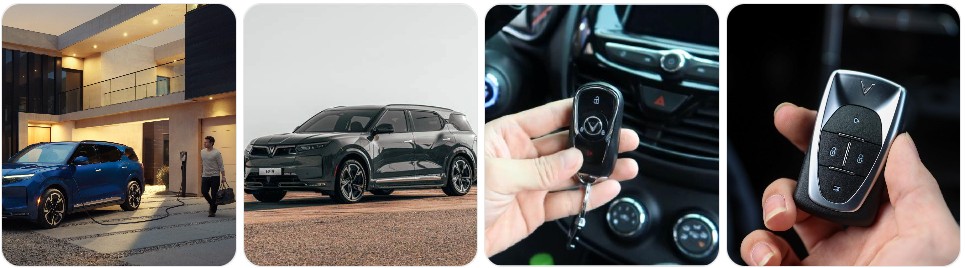
Buy Key Fob Battery Replacement for VinFast
Buying the right key fob battery for a VinFast starts with matching the battery code already installed inside the remote. For most current VinFast smart keys, the battery is typically a CR2032 3V lithium coin cell. That said, the safest approach is still to open the fob and confirm the printed code on the old battery before ordering. If you want to compare options first, browse VinFast key fob battery replacements, or go directly to CR2032 replacements for VinFast key fobs if you already know your fob uses that size.
- CR2032 replacement batteries for VinFast: This is the most common battery size for current VinFast smart key designs. A fresh CR2032 replacement battery is the right place to start if your fob range has dropped or the vehicle shows a low key warning. Typical price: about $5 to $14 for a multi-pack.
- Name-brand lithium coin cells: If you want better shelf life and more consistent performance, compare trusted options like Panasonic CR2032, Energizer CR2032, or Duracell CR2032. Typical price: about $6 to $16 depending on brand and pack size.
- VinFast key fob shell and battery combinations: If your VinFast remote still works but the case is cracked, scratched, or the buttons are worn, it can be smart to look at VinFast key fob shell and battery options at the same time. Typical price: about $10 to $25 depending on the kit.
- Extra spare battery packs: Because VinFast owners often keep one fob at home and one in daily use, a small spare pack of CR2032 coin batteries is useful to keep in the garage or glove box. Typical price: about $6 to $12.
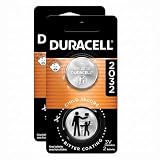
DURACELL CR2032 3V Lithium Battery, Child Safety Features, 2 Count Pack, Lithium Coin Battery for Key Fob, Car Remote, Glucose Monitor, CR Lithium 3 Volt Cell (Pack of 2)

CR2032 Key Fob Battery Replacement (2 Pack)

CR2032 Key Fob Replacement Batteries - Universal Fit Car Key Battery 2 Pack
VinFast Key Fob Battery Replacement by Model
- VinFast VF 8 key fob battery replacement: The VF 8 smart key commonly uses a CR2032 battery. If your VF 8 shows a low key battery message or only unlocks when you are standing right next to the vehicle, a fresh VF 8 key fob battery replacement is the first thing to try.
- VinFast VF 9 key fob battery replacement: The VF 9 uses a similar modern smart key format, and battery replacement is usually straightforward. Make sure the battery sits flat and the positive side matches the orientation of the old cell before snapping the fob back together.
- VinFast VF 6 key fob battery replacement: For VF 6 owners, the safest method is to confirm the battery code inside the remote first, then match it exactly. In most cases, that will be a CR2032.
- VinFast VF 7 key fob battery replacement: If the remote range becomes inconsistent or push-button start recognition becomes intermittent, the fob battery is the simplest and least expensive place to start. Compare VF 7 replacement battery options if you want extras on hand.
- VinFast VF 5 key fob battery replacement: The compact VF 5 may use the same smart key battery family as other current VinFast EVs, so keeping the old battery code as your reference is the best way to avoid ordering the wrong size.
- VinFast VF 3 key fob battery replacement: On smaller VinFast EVs, battery replacement is still a quick DIY task, but owners should be careful not to damage the case clips when opening the remote for the first time.
- VinFast Lux A2.0 and Lux SA2.0 key fob battery replacement: Legacy VinFast Lux models may have different remote housings than the newer VF-series EVs, so always confirm the printed code on the battery inside the fob instead of assuming by model name alone.
- VinFast Fadil key fob battery replacement: If your Fadil remote still starts the car but the lock and unlock buttons become unreliable, battery replacement is often the simplest first fix before looking into shell wear or transmitter issues.
To choose the right replacement key fob battery for VinFast, the most important step is matching the exact battery number already inside the remote. Even when VinFast models share a similar smart key design, different production runs or market versions can use slightly different internals. In practical terms, that means you should open the fob, read the code on the original battery, and buy the same size from a trusted brand. If your case is worn as well, it can also help to compare replacement key fob shells for VinFast while you are ordering the battery.
How to Replace a VinFast Key Fob Battery
- Gather the tools needed. You will need your VinFast key fob, the correct replacement battery, and a small pry tool or screwdriver. Good options include a small flathead screwdriver, a precision screwdriver set, or plastic pry tools if you want to reduce the chance of scratching the case.
- Remove the mechanical emergency key if your VinFast fob has one. Press the release button and slide out the hidden key blade. This usually exposes the slot or seam used to open the housing.
- Find the seam in the fob case. Most VinFast smart keys open at a side seam near the emergency-key slot. Insert the pry tool gently and twist just enough to start separating the housing.
- Open the fob carefully. Work your way around the edge instead of forcing one side wide open. This helps protect the case clips and keeps the internal button pad from shifting out of position.
- Identify the old battery before removing it. Look at the code stamped on the battery. In many VinFast key fobs it will read CR2032. This is the best confirmation that you bought the correct replacement.
- Remove the old battery gently. Lift it out with a fingernail, non-metal pry tool, or the edge of a small screwdriver. Try not to bend the battery clip or touch the contact surfaces more than necessary.
- Install the new battery in the same orientation. Make sure the positive (+) side matches the position of the old battery exactly. If the new battery is upside down, the VinFast key fob will not work even though the battery is new.
- Check the contacts and rubber seals. Before closing the fob, inspect for dust, corrosion, or a misaligned seal. A clean, dry microfiber cloth is enough for light cleaning. Do not use liquid cleaners inside the remote.
- Snap the key fob back together. Line up both halves evenly and press them together until all the clips engage. Reinsert the mechanical key if you removed it.
- Test the VinFast key fob functions. Stand near the vehicle and test lock, unlock, trunk or tailgate release if equipped, and push-button start recognition. If the remote still does not respond correctly, reopen it and recheck battery size, polarity, and seating.
Common VinFast Key Fob Problems
- VinFast key fob still does not work after battery replacement: The most common reasons are incorrect battery orientation, poor contact under the retaining clip, or installing the wrong battery size. Reopen the fob and make sure the new battery is seated exactly like the original.
- Low key battery warning comes back quickly: This may happen if the replacement battery is old stock, low quality, or partially drained before installation. A fresh name-brand CR2032 replacement battery is often worth the slight extra cost.
- Very short remote range: If your VinFast only responds when you are standing very close, the battery may still be weak, or the contact points inside the fob may be dirty or bent slightly out of position.
- Buttons feel worn, sticky, or soft: In that case, the problem may be the outer shell rather than the battery itself. A VinFast key fob shell replacement can sometimes solve the issue without needing a full new programmed remote.
- Case will not close properly after the battery swap: This usually means the battery is not seated flat, the rubber pad shifted, or the wrong battery thickness was used. Never force the fob shut.
- Push-button start intermittently fails to recognize the fob: If the vehicle detects the fob only when it is very close to the steering column or start button, that often points to a weak battery.
- Emergency key works but the remote buttons do not: That usually means the issue is electrical inside the fob, not a problem with the vehicle’s mechanical lock system.

Battery Replacement vs New Key Fob for VinFast
For most VinFast owners, replacing the battery is the first thing to try because it is inexpensive, simple, and often fixes reduced range, delayed unlock response, and low key battery warnings right away. If the key fob still locks and unlocks occasionally, or the vehicle sometimes recognizes it and sometimes does not, a fresh replacement battery for a VinFast key fob is usually the best first step. In many cases, that is all the remote needs.
A new VinFast key fob becomes the better option when the remote has water damage, a cracked board, broken buttons, or persistent failure even after installing the correct new battery. If the shell alone is damaged, a replacement shell may be enough. But if the fob electronics have failed, a full replacement may require programming, pairing, or dealer-level support depending on the model. In other words, start with the battery, inspect the shell second, and move to a full new fob only if the remote still fails after a correct battery swap.
VinFast Key Fob FAQ
What battery does a VinFast key fob use?
Most current VinFast key fobs typically use a CR2032 3V lithium coin battery. The safest way to confirm is to open the remote and match the battery code printed on the old battery.
Can I replace a VinFast key fob battery myself?
Yes. In most cases, replacing the battery is a simple DIY task that takes only a few minutes if you have the correct battery and a small pry tool or screwdriver.
Will changing the battery erase my VinFast key fob programming?
No, a standard battery replacement does not usually erase the programming. If the remote stops working afterward, the most likely causes are battery orientation, poor contact, or using the wrong battery size.
How do I know if my VinFast key fob battery is dying?
Common signs include shorter remote range, delayed lock or unlock response, needing multiple button presses, or a low key battery warning message from the vehicle.
How long does a VinFast key fob battery last?
Battery life varies by use and climate, but many key fob batteries last around two to four years before performance starts to drop.
What should I do if my VinFast key fob still does not work after changing the battery?
Reopen the fob and check the battery code, orientation, and fit under the contact clip. If everything looks correct, inspect the shell, contacts, and circuit board for damage or wear.
Do I need a new VinFast key fob or just a new battery?
If the remote only has weak range or a low battery warning, you probably only need a new battery. If it has broken buttons, severe shell damage, or no response at all even with the correct fresh battery, then a shell replacement or full new key fob may be necessary.
Should I buy one battery or a multi-pack for my VinFast key fob?
A multi-pack is often the better value because it gives you a spare for your second fob or for the next replacement cycle, especially if both VinFast remotes are the same age.