If your Mitsuoka key fob has started working only at close range, needs repeated button presses, or triggers a low-key warning, the fix is often a simple battery swap. Most Mitsuoka key fobs and smart keys are based on donor-platform electronics from mainstream Japanese vehicles, so the battery is usually a small coin cell such as CR2032, with CR2025 appearing on some variations depending on the underlying key design. This guide covers how to identify the correct battery, how to replace it safely, common problems after replacement, and when a full fob replacement makes more sense. If you also need help choosing the main vehicle battery for this brand, see this Mitsuoka battery guide.
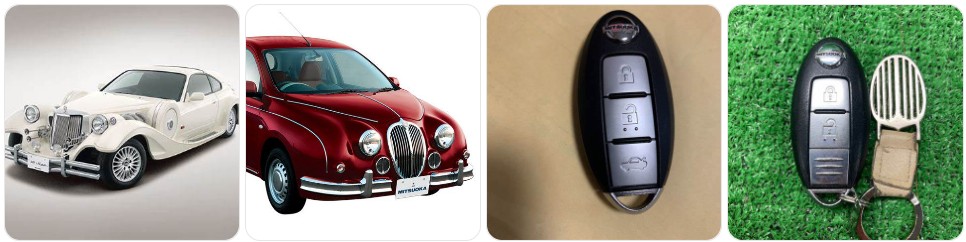
Buy Key Fob Battery Replacement for Mitsuoka
Buying the right Mitsuoka key fob battery starts with matching the exact battery code already inside the remote. Because Mitsuoka vehicles are commonly built on donor platforms from brands like Nissan, Mazda, or Toyota, the key fob battery is usually not a unique Mitsuoka-only part. In many cases, the correct battery will be a CR2032, while some fob styles may use a CR2025. The safest way to buy is to open the fob, confirm the number printed on the old battery, and then choose a quality replacement. You can compare Mitsuoka key fob battery options, CR2032 replacements for Mitsuoka key fobs, or CR2025 replacements for Mitsuoka key fobs depending on the battery code you find inside your remote.
- CR2032 replacement battery: This is the best place to start for many Mitsuoka smart keys, especially when the donor electronics come from later-model Japanese proximity fobs. A fresh CR2032 replacement battery is often the easiest fix for weak range, delayed unlocking, or intermittent start recognition. Typical price: about $5 to $14 for a multi-pack.
- CR2025 replacement battery: Some Mitsuoka remotes use the thinner CR2025 cell instead of CR2032. It is important not to force a thicker battery into the fob just because it looks similar. If your old battery says CR2025, compare CR2025 replacement batteries that match Mitsuoka-compatible remotes. Typical price: about $5 to $12 for a multi-pack.
- Name-brand coin cells: If your Mitsuoka is a weekend car, collector car, or imported specialty vehicle, it is often worth paying a little more for better shelf life. You can compare Panasonic CR2032 batteries or Energizer CR2025 batteries if you want a higher-confidence replacement. Typical price: about $6 to $15 depending on brand and quantity.
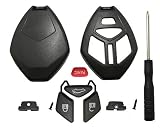
- Battery plus shell kits: If the Mitsuoka fob case is cracked, the buttons are worn, or the shell clips are loose, it can be smart to replace both at once. Search Mitsuoka key fob shell and battery kits to compare options. Typical price: about $10 to $25.

Key Fob Batteries Replacement CR2032 for Kia (Sportage Sorento Soul Forte Optima K5 Rio Sedona NIRO Seltos Cadenza Carnival Stinger EV6) Remote Key

Deluxe Batteries Key Fob Battery Replacement for Nissan (Rogue Altima Sentra Versa Pathfinder Murano Maxima Kicks Titan Frontier Armada Leaf Juke Quest 370Z GT-R) Smart Remote (Pack of 2)

SHI Key Fob Replacement Batteries - Universal Fit, Compatible with Car Key Fobs for Nissan, Toyota, Honda, Chevy, GMC, Ford, Jeep, Dodge, Ram, Chrysler, Mazda, Subaru, Hyundai, Kia & More
Mitsuoka Key Fob Battery Replacement by Model
- Mitsuoka Viewt key fob battery replacement: The Viewt is commonly tied to Nissan-based donor platforms, so many of its key fobs follow the same compact Japanese remote logic as the donor car. In many cases, a CR2032 or CR2025 will be used depending on the exact fob style. Before ordering, compare your current remote with Viewt battery options.
- Mitsuoka Buddy key fob battery replacement: Because the Buddy is based on a modern donor platform, many owners should expect a newer-style smart key rather than a basic old remote. That often points to a CR2032, but the safest confirmation is still the battery number printed inside the fob.
- Mitsuoka Himiko key fob battery replacement: The Himiko is closely tied to Mazda MX-5 foundations, so some key hardware characteristics can resemble Mazda-based smart key layouts. If your Mitsuoka Himiko key starts showing weak signal behavior, a correctly matched Himiko replacement battery is the first thing to try.
- Mitsuoka Ryugi key fob battery replacement: Ryugi models may share donor electronics with mainstream Japanese sedans, which means the remote is often easy to service with a standard coin-cell battery once the correct type is identified. It is especially important to avoid guessing by appearance alone.
- Mitsuoka Galue key fob battery replacement: Depending on the donor-generation used for your Galue, the fob may be a traditional remote or a more advanced smart key. Check the existing battery code and compare Galue-compatible battery options if you want to have the replacement ready before opening the case.
- Mitsuoka Orochi key fob battery replacement: The Orochi is a low-volume specialty car, but the battery inside the fob is still usually a mainstream coin-cell rather than an exotic part. A battery swap is the cheapest first step before assuming the remote itself has failed.
To choose the right replacement key fob battery for Mitsuoka, focus on the remote itself more than the badge on the hood. Mitsuoka models often combine custom bodywork with donor-platform electronics, so the correct replacement battery depends on the actual key design and battery tray inside your fob. The best match is always the same code printed on the old battery, the same thickness, and the same orientation. If the housing is damaged as well, it can help to compare replacement key fob shells at the same time so you only open the remote once.
How to Replace a Mitsuoka Key Fob Battery
- Gather the tools needed. You will need your Mitsuoka key fob, the correct replacement coin battery, and a small tool to open the case. Helpful options include a small flathead screwdriver, a precision screwdriver set, or plastic pry tools if you want to reduce the risk of scratching the shell.
- Remove the emergency key if equipped. Many Mitsuoka smart keys include a hidden metal key. Press the small release catch and slide the emergency key out before opening the main housing.
- Locate the case seam or release slot. Insert the tool gently into the notch or seam near the emergency-key opening. Twist slowly rather than prying aggressively. Mitsuoka key fobs often use donor-platform shells with tight clips that can crack if you force them too fast.
- Separate the two halves of the fob. Work around the edge carefully until the cover releases. Keep the buttons, rubber pad, and internal circuit board aligned while opening the shell.
- Check the battery number before removing it. Look at the old battery and confirm whether it says CR2032 or CR2025. That marking is more reliable than guessing by model name alone.
- Remove the old battery gently. Lift the battery out with a fingernail, plastic tool, or screwdriver tip. Avoid bending the contact tabs or scraping the circuit board.
- Install the new battery in the same direction. Match the exact orientation of the original battery and pay close attention to the positive (+) side. If the battery is flipped, the Mitsuoka key fob will not work even though the battery is new.
- Inspect the inside of the fob. Before closing it up, check for dust, corrosion, broken shell clips, or a shifted rubber seal. If needed, wipe the area gently with a dry cloth and make sure the battery sits flat.
- Snap the housing back together. Align both halves evenly and press them together until the clips engage. Reinsert the emergency key if your fob has one.
- Test the Mitsuoka key functions. Stand near the vehicle and test lock, unlock, trunk or hatch release if equipped, and proximity start recognition if your Mitsuoka has a push-button ignition. If the remote still fails, reopen the case and check battery type, polarity, and contact pressure.
Common Mitsuoka Key Fob Problems
- Mitsuoka key fob still does not work after changing the battery: The usual causes are the wrong battery type, incorrect polarity, or the battery not seated securely under the retaining clip. Recheck whether your original battery said CR2032 or CR2025.
- Very short operating range: If the Mitsuoka only responds when you are very close, the battery may be weak, old stock, or poor quality. A fresh CR2032 replacement battery or the correct CR2025 equivalent usually improves range right away.
- Dashboard says low key battery even after replacement: That can happen if the wrong battery thickness was installed, the contacts are dirty, or the fob has an internal drain problem.
- Buttons are worn or sticking: Some Mitsuoka owners may find that the battery is fine but the shell or button membrane is failing. In that case, a replacement key fob shell may solve the issue without needing a full new electronic remote.
- Fob case will not close after battery replacement: This is a classic sign that a CR2032 was installed where a CR2025 belongs, or that the battery is not seated flat. Never force the shell closed.
- Push-button start works only when the fob is very close: On smart-key Mitsuoka models, that usually points to a weak battery even before the lock buttons fully stop working.
- Intermittent response on imported or older low-volume models: Because Mitsuoka vehicles can vary by donor platform and market, some fobs may have age-related contact wear or shell fatigue in addition to a weak battery.
Battery Replacement vs New Key Fob for Mitsuoka
For most Mitsuoka owners, battery replacement should be the first step because it is cheap, fast, and often fixes the most common symptoms right away. If the remote range has dropped, the buttons respond slowly, or the car shows a low-key warning, a fresh replacement battery for Mitsuoka key fobs is usually the correct starting point. This is especially true when the shell is intact and the remote still works occasionally.
A new Mitsuoka key fob becomes the better choice when the casing is broken, the buttons no longer press properly, the circuit board has water damage, or the remote remains dead after installing the correct fresh battery. If the problem is only cosmetic or mechanical, a replacement shell may be enough. But if the electronics have failed, you may need a complete replacement fob and, depending on the donor platform, programming or key cutting as well. In other words, try the battery first, inspect the shell second, and move to a full replacement only when the remote itself is truly failing.
Mitsuoka Key Fob FAQ
What battery does a Mitsuoka key fob use?
Most Mitsuoka key fobs use a coin-cell battery such as CR2032, while some donor-platform remotes may use CR2025. The best way to confirm the correct battery is to open the fob and read the code printed on the old battery.
Can I replace a Mitsuoka key fob battery myself?
Yes. In most cases, Mitsuoka key fob battery replacement is a simple DIY job that takes only a few minutes if you have the correct battery and a small screwdriver or pry tool.
Will changing the battery erase my Mitsuoka key programming?
No, replacing the battery normally does not erase the key fob programming. If the remote stops working afterward, the problem is usually battery orientation, poor contact, or a separate issue with the fob itself.
How do I know if my Mitsuoka key fob battery is dying?
Common signs include weak remote range, needing to press the buttons multiple times, inconsistent lock or unlock response, and low-key warnings on vehicles equipped with smart-key monitoring.
Can I use a CR2032 instead of a CR2025 in a Mitsuoka key fob?
Only if your specific Mitsuoka key fob was designed for CR2032. A CR2032 is thicker than a CR2025, so the wrong battery can stop the shell from closing properly or create poor contact inside the fob.
What should I do if my Mitsuoka key fob still does not work after replacing the battery?
Reopen the remote and verify the battery code, the polarity, and the fit under the contact clip. If the battery is correct and the fob still does not respond, inspect the shell, button membrane, and internal circuit board for damage or corrosion.
How long does a Mitsuoka key fob battery last?
Battery life depends on usage and battery quality, but many Mitsuoka key fob batteries last around two to four years before remote range and responsiveness begin to drop.
Do I need a new key fob or just a new battery for my Mitsuoka?
If the remote still works sometimes and only shows weak range or low-battery symptoms, you probably only need a battery. If the Mitsuoka fob has broken buttons, water damage, or no response at all with the correct fresh battery, a shell replacement or full new fob may be the better solution.