
If your Honda remote is starting to lose range, needs repeated button presses, or shows a low key battery warning, replacing the battery is usually a quick fix that takes only a few minutes. Most Honda key fobs use a CR2032 battery, while some older or slimmer remotes may use a CR2025, so the smartest approach is to match the code printed on the old battery before buying a replacement. If you also drive a Honda and want help with the main vehicle battery side of ownership, you can check this Honda battery guide as well. In this guide, you’ll learn what battery a Honda key fob uses, how to buy the right replacement, model-by-model notes, step-by-step installation instructions, common Honda-specific key fob issues, and when it makes more sense to replace the entire remote instead of only the battery.
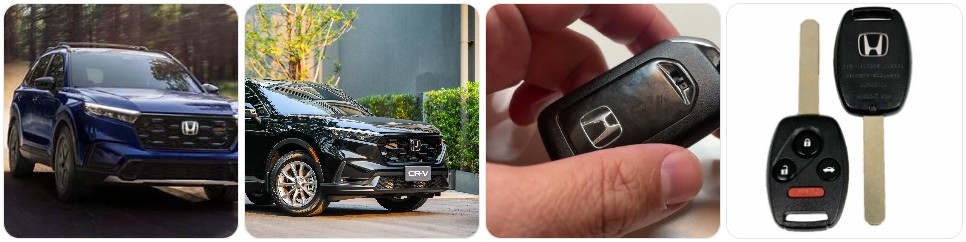
Buy Key Fob Battery Replacement for Honda
Buying the right Honda key fob battery starts with checking the battery code inside your existing remote. For many Honda smart keys and remote fobs, the replacement battery is a CR2032, but some older Honda remotes and slimmer fob designs use a CR2025. The easiest way to avoid ordering the wrong size is to open the fob first and read the number printed on the battery. If you want to compare options before opening it, you can browse Honda key fob battery replacements, or narrow it down to CR2032 replacements for Honda key fobs and CR2025 replacements for Honda key fobs if you already know your battery type.
- CR2032 replacement battery for Honda: This is the most common battery used in many Honda smart keys for models like the Civic, Accord, CR-V, Pilot, and Odyssey. If your old battery says CR2032, compare CR2032 Honda-compatible replacements. Typical price: about $5 to $14 for a multi-pack.
- CR2025 replacement battery for Honda: Some older Honda remotes and thinner key fobs use CR2025 instead. Because it is thinner than CR2032, it should only be used when your original battery matches that exact size. You can compare CR2025 Honda key fob replacements. Typical price: about $5 to $12 for a multi-pack.
- Name-brand coin batteries for Honda key fobs: If you want better shelf life and more consistent performance, a name-brand option like Panasonic CR2032 or Energizer CR2025 can be worth the extra cost. Typical price: about $6 to $15 depending on brand and pack size.
- Honda key fob shell and battery kits: If the buttons are worn or the case has cracked, some owners replace both the battery and shell at the same time. Search Honda key fob shell and battery kits if your remote still works but the housing is damaged. Typical price: about $10 to $25.
Key Fob Replacement Batteries for Honda (CRV Civic Accord Pilot Odyssey HRV Fit Passport Ridgeline Crosstour Insight Clarity CRZ) Smart Remote (Pack of 2) (Check Fitment Guide)

Duracell 2032 Lithium Battery, 2 Count (Pack of 1), Child Safety Features, Compatible with Key Fob, Tea Light Candles and Other Devices, CR2032 Battery

Duracell 2032 Lithium Battery, 4 Count (Pack of 1), Child Safety Features, Compatible with Key Fob, Tea Light Candles and Other Devices, CR2032 Battery
Honda Key Fob Battery Replacement by Model
- Honda Civic key fob battery replacement: Many Honda Civic smart keys use a CR2032, especially in newer push-button-start models. If you want a quick way to compare options, browse Honda Civic key fob battery replacements after checking the battery number inside your current fob.
- Honda Accord key fob battery replacement: The Accord commonly uses CR2032 in many recent key fobs, but the safest move is still to open the remote and confirm the printed code before ordering. You can compare Honda Accord battery options if you want a model-specific search.
- Honda CR-V key fob battery replacement: CR-V owners often deal with low battery warnings in colder weather or after several years of daily use. In many cases, a fresh CR2032 solves the issue quickly, though older CR-V remotes should still be verified before purchase.
- Honda HR-V key fob battery replacement: Many HR-V key fobs share Honda’s common smart key format, which usually makes battery replacement simple. Be careful with the case clips when opening the fob so the shell snaps back together cleanly.
- Honda Pilot key fob battery replacement: Larger Honda SUVs often use the same battery family as the Civic and Accord smart key systems. If your Pilot remote range has dropped, a fresh battery is the first thing to try before assuming the fob itself has failed.
- Honda Odyssey key fob battery replacement: The Odyssey often uses a CR2032 in many smart key versions. If the power sliding door buttons or remote start response become inconsistent, the battery is often the first place to start.
- Honda Passport and Ridgeline key fob battery replacement: These Honda models often share remote hardware with other larger Honda vehicles, so battery replacement is usually quick and straightforward once the case is open.
- Honda Fit, Insight, and older Honda remote battery replacement: Older Honda remotes are more likely to use CR2025 or a different shell style, which is why matching the exact battery code is more important than relying only on model name.
To choose the right replacement key fob battery for Honda, always match the battery number already inside your current remote instead of assuming all Honda key fobs use the same coin cell. Honda has used different remote designs across trims, years, and start systems, so even within the same model line there can be small differences. The best choice is a fresh lithium battery in the exact same size as the original, plus a quality shell if the buttons or case are worn. If the housing is damaged, it may help to compare Honda replacement key fob shells while you shop for the battery.
How to Replace a Honda Key Fob Battery
- Gather the tools and parts first. You will need your Honda key fob, the correct new battery, and a small flathead screwdriver or pry tool. Helpful options include a small flathead screwdriver, a precision screwdriver set, or plastic pry tools if you want to reduce the chance of marking the case.
- Remove the physical key if your Honda fob has one. Most Honda smart keys include a release switch that lets you slide out the emergency key. Removing it gives you access to the seam where the case opens.
- Open the Honda key fob carefully. Insert the flathead screwdriver or pry tool into the notch near the key slot or side seam. Twist gently until the case separates. Avoid forcing the shell, because Honda fob clips can crack if you pry too aggressively.
- Separate the case halves slowly. Once the housing starts to open, work around the edge gently. Keep an eye on the internal button pad so it does not shift out of position.
- Check the old battery type before removal. Look closely at the battery number printed on the top. In many Honda key fobs it will be CR2032, but some versions use CR2025. This is the final confirmation you have the right replacement.
- Remove the old battery. Use the screwdriver tip, a fingernail, or a plastic tool to lift it out without bending the battery contacts. Try not to pry against delicate circuit-board parts.
- Install the new battery in the same orientation. Pay close attention to the positive (+) side. If the battery is installed upside down, your Honda key fob will not work even though the battery is new.
- Inspect the inside of the fob. Before reassembly, check for corrosion, dust, or a rubber button pad that has moved out of place. A clean, dry microfiber cloth is enough for light cleaning.
- Snap the housing back together. Align both halves carefully and press around the edges until the case clicks shut evenly. Reinsert the physical key.
- Test all Honda remote functions. Check lock, unlock, trunk release, panic, and remote start if equipped. On push-button-start Hondas, confirm the vehicle recognizes the key normally. If anything still seems weak, reopen the fob and verify the battery size, polarity, and fit.
Common Honda Key Fob Problems
- Honda key fob still does not work after replacing the battery: The most common reasons are the wrong battery size, incorrect polarity, or poor contact with the retaining clip. Recheck whether your old battery was CR2032 or CR2025.
- Low range or weak response: If your Honda only unlocks when you are very close, the battery may be weak, old stock, or not seated correctly. A fresh CR2032 replacement battery or the correct CR2025 equivalent often restores normal range.
- Buttons work intermittently: This can happen when the battery is loose, the shell is worn, or the rubber pad inside the fob is misaligned after opening the case.
- Dashboard low key battery warning keeps coming back: That may mean the battery quality is poor, the wrong size was installed, or the Honda fob has an internal problem draining the cell faster than normal.
- The case will not snap closed properly: This often happens when a thicker CR2032 is installed in a fob designed for CR2025. Never force the housing shut.
- Remote start or sliding door buttons fail first: On Hondas with more feature-heavy remotes, those functions may become inconsistent before basic lock and unlock fail completely.
- The shell is cracked but the electronics still work: In that case, a Honda key fob shell replacement may be all you need instead of a fully new programmed fob.

Cutting NOT Required - Key Fob Keyless Entry Remote Shell Case & Pad fits Honda 2003-2012 Accord / 2006-2013 Civic EX / 2009-2015 Pilot /2005-2006 CR-V

USA Remote CUTTING NOT REQUIRED - Key Fob Keyless Entry Remote Shell Case & Pad fits Honda Accord/Civic/CR-V/Fit/Odyssey/Pilot/Ridgeline/CR-Z
Vurkcy Key Fob Replacement for 2016-2021 Honda Pilot/ 2017-2022 Honda CRV 5-Door/ 18-21 Civic Car Keyless Entry Remote Control, KR5V2X, 5 Btn
Battery Replacement vs New Key Fob for Honda
For most Honda owners, replacing the battery should always be the first step. It is inexpensive, quick, and often solves the most common symptoms such as weak range, repeated button presses, intermittent lock or unlock response, or a dashboard low key battery alert. If the shell is intact and the buttons still respond at least occasionally, a fresh replacement battery for Honda key fobs is usually the right starting point.
A new Honda key fob becomes the better option when the remote has physical damage, internal electronic failure, water exposure, broken buttons, or no response even after installing the correct new battery. If the circuit board still works and only the shell is worn, a replacement shell may save money and avoid programming. But if the entire remote has failed, a complete Honda key fob replacement may be necessary, and many of those require programming before they will work with your vehicle.
Honda Key Fob FAQ
What battery does a Honda key fob use?
Many Honda key fobs use a CR2032 battery, while some older or slimmer remotes use CR2025. The best way to confirm is to open the fob and match the battery code printed on the old battery.
How do I know if my Honda key fob battery is dying?
Common signs include reduced range, needing multiple button presses, a low key battery warning on the dashboard, or weak response from remote start, trunk, or door functions.
Can I replace a Honda key fob battery myself?
Yes. In most cases, Honda key fob battery replacement is a simple DIY task that only takes a few minutes with the correct battery and a small flathead screwdriver or pry tool.
Will changing the battery erase my Honda key fob programming?
No, a normal battery replacement does not usually erase the Honda key fob programming. If the remote stops working afterward, the issue is more likely related to battery orientation, size, or another fault inside the fob.
Can I use a CR2032 instead of a CR2025 in a Honda key fob?
Only if your specific Honda key fob was designed for CR2032. Because CR2032 is thicker than CR2025, the wrong battery can prevent the case from closing correctly or cause unreliable contact.
How long does a Honda key fob battery last?
Battery life depends on usage and battery quality, but many Honda key fob batteries last roughly two to four years before symptoms start to appear.
What should I do if my Honda key fob still does not work after a battery change?
Reopen the fob and confirm the battery size, polarity, and seating. Also check the shell clips, rubber button pad, and battery contacts. If the problem continues, the fob may need a shell repair, internal repair, or full replacement.
Do I need a new key fob or just a new battery for my Honda?
If the Honda remote only has weak range or low battery symptoms, you likely just need a battery. If the remote has broken buttons, water damage, or no response even with a correct fresh battery, then a shell replacement or complete new key fob is more likely.

ACDelco Gold 48AGM (88864541) 36 Month Warranty AGM BCI Group 48 Battery

ACDelco Gold 94RAGM (88864542) 36 Month Warranty AGM BCI Group 94R Battery
