If your Tesla key fob has reduced range, needs repeated button presses, or triggers a low key battery alert, the fix is usually a quick battery swap. Most Tesla key fobs use a CR2032 battery, but some Tesla Model X key fob versions use a CR2354, so checking the exact battery already inside the fob is the safest approach before ordering a replacement. If you are also researching the main 12V battery side of Tesla ownership, you can see our guide for Tesla. In this guide, you will learn what battery a Tesla key fob uses, how to choose the right replacement, model-specific battery details, step-by-step replacement instructions, common Tesla key fob problems, and when it makes more sense to replace the whole fob instead of just the battery.
Buy Key Fob Battery Replacement for Tesla
When buying a Tesla key fob battery replacement, the most important step is matching the battery code inside your current fob. In many Tesla applications, the correct battery is a CR2032 3V lithium coin cell. However, certain Tesla Model X key fob versions use a CR2354, which is larger and should not be swapped with a CR2032. That is why the best buying strategy is to open the fob first, read the battery marking, and then order an exact match. If you want to compare options before you start, you can browse Tesla key fob battery replacements, CR2032 replacements for Tesla key fobs, or CR2354 replacements for Tesla key fobs depending on your fob style.
- CR2032 replacement battery: This is the most common Tesla key fob battery for Model S and for the accessory key fob used with Model 3 and Model Y. It is compact, easy to find, and simple to install. A practical starting point is to compare CR2032 Tesla key fob battery options. Typical price: about $5 to $14 for a multi-pack.
- CR2354 replacement battery: Some Tesla Model X key fobs use CR2354 instead of CR2032, so size matters here. Because this battery is less common, it is smart to order the exact size after checking the old battery. You can compare CR2354 replacement batteries for Tesla key fobs. Typical price: about $6 to $16 depending on brand and pack size.
- Name-brand coin cells for better shelf life: If you want fewer surprises from a battery that has been sitting in a drawer, a name-brand Panasonic CR2032, Duracell CR2032, or the correct CR2354 equivalent is often worth it. Typical price: about $6 to $18.
- Battery plus replacement shell kits: If your Tesla fob still works but the shell is scratched, cracked, or loose, it may be worth buying both parts at once. Search Tesla key fob shell and battery kits if the electronics are fine but the housing is worn. Typical price: about $10 to $30.

Key Fob Replacement Batteries for Tesla Model X & X Plaid Remote Key

SHI Key Fob Battery Replacement for Tesla Model X & X Plaid
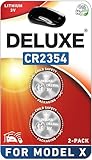
Key Fob Replacement Batteries for Tesla Model X & X Plaid, Pack of 2
Tesla Key Fob Battery Replacement by Model
- Tesla Model S key fob battery replacement: Most Model S key fobs use a CR2032 battery. The easiest way to confirm is to open the bottom cover, inspect the old battery, and match the exact code before ordering from Model S key fob battery listings.
- Tesla Model X key fob battery replacement: This is the Tesla model where battery size deserves extra attention. Many guides lump all Tesla fobs together, but some Model X key fob versions use a CR2354. If you own a Model X, do not assume a CR2032 will fit. Compare what is printed on the old battery first, then browse Model X CR2354 replacement options if that is what your fob uses.
- Tesla Model 3 key fob battery replacement: Model 3 primarily uses phone key and key card access, but the optional Tesla key fob accessory uses a CR2032 battery. If you own the accessory fob, a fresh Model 3 key fob replacement battery is typically all you need when range drops or the fob becomes inconsistent.
- Tesla Model Y key fob battery replacement: Like Model 3, Model Y usually relies on phone key and key card access, but the optional key fob accessory uses CR2032. If your Model Y accessory fob no longer unlocks the vehicle consistently, compare Model Y key fob battery options after checking the battery inside.
- Tesla Roadster-era or specialty fobs: If you have an older Tesla or a less common fob version, battery verification matters even more. Match the installed battery number and the physical diameter and thickness before buying a replacement.
To choose the right replacement Tesla key fob battery, start with the exact fob you have rather than the vehicle name alone. Tesla has used different key designs, and not every Tesla remote uses the same coin cell. The best match is the same battery code that is already inside the fob, the same physical size, and a fresh lithium coin battery from a trusted brand. If your Tesla remote also has cosmetic wear, it can help to compare Tesla replacement key fob shells at the same time so you can refresh the fob in one pass.
How to Replace a Tesla Key Fob Battery
- Gather the tools needed. You will want the Tesla key fob, the correct replacement battery, and a small flat-bladed tool. Some owners also prefer a plastic pry tool to avoid marks on the shell. You can compare a small flathead screwdriver, a precision screwdriver set, or plastic pry tools before starting.
- Place the Tesla key fob button-side down on a soft surface. A microfiber cloth or towel helps prevent scratches while you open the bottom cover.
- Release the bottom cover. Use a small flat-bladed tool, fingernail, or pry tool to carefully release the bottom cover. Work gently so you do not chip the painted or glossy surface of the Tesla fob.
- Remove the old battery carefully. Lift the battery away from the retaining clips without bending the contact points. If your Tesla uses a Model X fob, pay especially close attention to how the battery sits against the positive contact spring.
- Confirm the battery code before installing the new one. Look closely at the old battery. For many Tesla fobs it will read CR2032, while certain Model X versions use CR2354. This is your final check before installation.
- Install the new battery in the correct orientation. In most Tesla key fob applications, the positive (+) side faces up. Avoid touching the flat surfaces of the new battery more than necessary, since fingerprints can shorten battery life.
- Make sure the battery is fully seated. The battery should sit flat under the retaining clips and press properly against the contact. Do not force the battery straight down if it is catching on the contact spring.
- Reattach the bottom cover. Align the cover and press it back into place until it sits flush all around the fob.
- Test the Tesla key fob immediately. Stand near the vehicle and test lock, unlock, trunk or frunk functions if available, and passive entry behavior where applicable. If the fob still acts weak, reopen it and verify battery size, orientation, and contact fit.
- Keep a spare battery if you rely on the fob daily. Tesla owners who use a key fob instead of phone key may want to keep a spare CR2032 spare battery or the correct CR2354 equivalent in a drawer or glovebox.
Common Tesla Key Fob Problems
- Tesla key fob still does not work after battery replacement: The most common reasons are the wrong battery size, incorrect battery orientation, weak contact pressure, or a battery that is old despite being unopened.
- Short range or delayed response: If you have to stand unusually close to the Tesla for the fob to respond, the battery may be weak, low quality, or not seated correctly. A fresh CR2032 replacement battery or the correct CR2354 version often solves this quickly.
- Model X battery fit issues: If the battery does not sit correctly in a Model X key fob, double-check whether the original was CR2354. Installing a different size can cause fit problems, poor contact, or a cover that will not close properly.
- Battery drains too fast: If your Tesla key fob burns through new batteries quickly, the cause may be a poor-quality battery, a contact issue, or an internal electronics fault in the fob itself.
- Buttons work inconsistently: This can be a battery issue, but it can also point to a worn shell or internal switch problem. In that case, a replacement shell may help if the electronics are still good.
- Cover will not snap back on: This often happens when the wrong battery thickness is used or the battery is not fully seated under the retaining clips.
- Tesla recognizes key card or phone key, but not the fob: That usually points to the fob battery, contact fit, or the fob itself rather than a vehicle-wide access issue.

TESLA Model 3/Y Key Fob

LIANGYM for Tesla Key Fob Cover, TPU Case Accessories

NFC Car Model Shape Key Fob for Tesla Model 3 & Y OEM Key Card Alternative
Battery Replacement vs New Key Fob for Tesla
For most Tesla owners, battery replacement is the correct first move. It is inexpensive, fast, and often restores full fob performance right away when the issue is simply a weak coin cell. If your Tesla key fob has reduced range, takes multiple presses to respond, or displays a low battery warning, starting with a fresh replacement battery makes far more sense than replacing the entire remote.
A full Tesla key fob replacement makes more sense when the shell is cracked, the buttons no longer register reliably, the internal board is damaged, or the fob still fails after installing the correct new battery and checking the contacts. If the housing alone is worn, a replacement shell may be enough. But if the electronics have failed, you may need a complete Tesla key fob. In other words, try the battery first, inspect the shell second, and only move to a full replacement when the fob itself is truly failing.
Tesla Key Fob FAQ
What battery does a Tesla key fob use?
Many Tesla key fobs use a CR2032 battery, but some Tesla Model X key fob versions use CR2354. The safest method is to open the fob and read the battery code printed on the old battery before buying a replacement.
Does Tesla Model S use a CR2032 key fob battery?
Yes, most Tesla Model S key fobs use a CR2032 3V lithium coin battery. It is still smart to confirm the code on the battery already inside your fob before ordering.
Does Tesla Model X use the same key fob battery as Model S?
Not always. Some Tesla Model X key fob versions use a CR2354 battery, so you should not assume it uses the same battery as a Model S fob.
Do Tesla Model 3 and Model Y key fobs use a battery?
Yes, the optional key fob accessory for Tesla Model 3 and Model Y uses a battery, typically CR2032. The vehicles themselves also support phone key and key card access, which is why some owners rarely use the accessory fob.
How do I know if my Tesla key fob battery is low?
Common signs include reduced range, delayed locking or unlocking, repeated button presses, or a low battery notification in the vehicle when the fob is detected.
Can I replace a Tesla key fob battery myself?
Yes. In most cases, it is a simple DIY job that only takes a few minutes using the correct battery and a small flat-bladed tool or pry tool.
Will replacing the Tesla key fob battery erase programming?
No, a normal battery replacement does not usually erase the fob pairing. If the fob does not work afterward, the usual causes are the wrong battery, reversed polarity, poor battery contact, or a separate problem with the fob.
Should I replace the battery or buy a new Tesla key fob?
If the fob only has low range or a battery warning, replace the battery first. If the shell is broken or the fob still fails with the correct fresh battery installed, then a shell replacement or full new fob is the better next step.