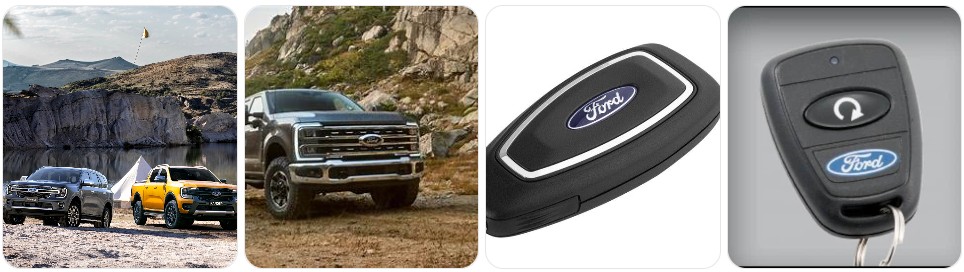
If your Ford remote suddenly has shorter range, needs repeated button presses, or shows a low key battery warning, the fix is usually quick and inexpensive: replace the battery inside the key fob. Most Ford key fobs use a CR2032 or CR2450 coin battery, though some older or different-style remotes may use another size, so the safest move is always to match the code printed on the battery already inside the fob. If you are also comparing vehicle battery options for your Ford, you can check this Ford guide for model-specific battery recommendations. In this article, you will find a detailed Ford-specific guide covering battery types, quick buying tips, model notes, step-by-step replacement instructions, common Ford key fob issues, and when it makes more sense to replace the full fob instead of just the battery.
Buy Key Fob Battery Replacement for Ford
Buying the right key fob battery for Ford starts with identifying the exact battery size your remote uses. For many Ford smart keys and flip-style remotes, the answer is usually CR2032 or CR2450, but Ford has used different key fob designs across trucks, SUVs, cars, and trim levels, so you should always match the code on the old battery before ordering. If you want to compare options first, browse Ford key fob battery replacements, or go directly to CR2032 replacements for Ford key fobs and CR2450 replacements for Ford key fobs if you already know the battery type.
- CR2032 replacement battery: A very common fit for many Ford key fobs, especially standard remote and intelligent-access styles. This is a good place to start if your current battery is marked CR2032. Compare CR2032 replacement batteries that fit many Ford key fobs. Typical price: about $5 to $12 for a multi-pack.
- CR2450 replacement battery: Common on a number of newer Ford smart keys, especially larger intelligent-access fobs used on popular trucks and SUVs. Because a CR2450 is thicker and wider than a CR2032, only use it if the existing Ford battery is marked that way. Browse CR2450 options that match Ford key fobs. Typical price: about $6 to $14 for a multi-pack.
- Name-brand Ford key fob battery replacements: If you want longer shelf life and more consistent performance, compare quality cells like Panasonic CR2032, Energizer CR2450, or a similar premium replacement. Typical price: about $6 to $16 depending on brand and quantity.
- Ford key fob shell and battery kits: If your Ford remote buttons are worn or the case is cracked, it may help to buy both a fresh battery and a shell at the same time. Search Ford key fob shell and battery kits if the electronics still work but the housing is breaking down. Typical price: about $10 to $25.

Key Fob Replacement Batteries for Ford & Lincoln, 2 Pack, Check Fit Guide

Duracell CR2450 Lithium Battery, 1 Count, Key Fob & Watch & Car Remote

Key Fob Replacement Batteries for Ford, Pack of 2, Check Fit Guide
Ford Key Fob Battery Replacement by Model
- Ford F-150 key fob battery replacement: One of the most common Ford key fob battery jobs. Many F-150 smart keys use a CR2450, especially intelligent-access styles, though some earlier or different remote formats may differ. If you want to compare before opening the fob, browse F-150 key fob battery options.
- Ford Explorer key fob battery replacement: Explorer remotes often use the same Ford smart key family found in other SUVs, commonly with a CR2450. Always verify the battery code inside the fob before ordering a replacement.
- Ford Escape key fob battery replacement: Depending on generation and trim, Escape key fobs may use CR2032 or CR2450. Push-button-start versions should always be checked directly rather than assumed by year alone.
- Ford Edge key fob battery replacement: The Edge often shares Ford intelligent-access key designs, so battery replacement is usually simple once you remove the hidden emergency key and open the back cover carefully.
- Ford Fusion key fob battery replacement: Fusion fobs commonly use a CR2032 or sometimes a CR2450 depending on key style. If you want to shop by model first, try Fusion battery options.
- Ford Focus key fob battery replacement: Many Focus remotes are easy to open with a small pry point near the seam. Confirm the exact battery printed inside because Ford used more than one remote style over the years.
- Ford Mustang key fob battery replacement: Mustang smart keys often use a coin battery that can be changed at home in just a few minutes. A weak battery can show up as reduced lock range or inconsistent push-button start recognition.
- Ford Ranger and Maverick key fob battery replacement: These Ford trucks often use the same modern smart key family as other recent Ford vehicles. Search Ranger battery options or compare Maverick battery options if you want model-specific results before opening the remote.
- Ford Bronco and Bronco Sport key fob battery replacement: Since these are often used hard outdoors, it is smart to inspect the battery compartment for dust or moisture when replacing the coin cell. If the shell is worn, a replacement case can be worth doing at the same time.
- Ford Expedition and Expedition Max key fob battery replacement: Larger Ford SUVs commonly use intelligent-access remotes that are easy to service once the mechanical key is removed. Take extra care to install the battery in the same direction as the old one.
To choose the right replacement key fob battery for Ford, start with the battery number already inside your remote rather than guessing by vehicle model alone. Ford has used several fob housings across the F-150, Escape, Explorer, Fusion, Mustang, Bronco, and other models, and even within the same model line the battery may vary by year or remote style. The safest replacement is the exact same battery code already installed, the same size and thickness, and a quality lithium coin cell from a reputable brand. If the Ford fob housing is also worn, compare Ford replacement key fob shells alongside the battery so you can refresh both at once.
How to Replace a Ford Key Fob Battery
- Gather the tools you need. You will need your Ford key fob, the correct replacement battery, and a small opening tool. A small flathead screwdriver, precision screwdriver set, or plastic pry tools all work well. Many Ford owners prefer plastic tools because they are less likely to mark the fob case.
- Remove the emergency key. Press the release button on the back or side of the Ford key fob and slide out the hidden mechanical key. This usually reveals the access point for the battery cover or case seam.
- Locate the pry slot or seam. On many Ford intelligent-access fobs, there is a notch near where the emergency key was stored. Insert your pry tool carefully into that point rather than forcing apart the entire edge at random.
- Open the battery cover or separate the case. Twist the tool gently until the cover pops free or the two halves begin to separate. Work slowly around the seam if needed. Do not force the clips, because Ford key fob shells can crack if too much pressure is applied in one spot.
- Check the old battery number. Before removing the battery, confirm whether it is marked CR2032, CR2450, or another size. This is the most reliable way to verify the correct replacement for your exact Ford remote.
- Remove the old battery carefully. Use the edge of the tool or your fingernail to lift the battery free. Avoid bending the contact tab and try not to touch the circuit board more than necessary.
- Install the new battery in the same orientation. Match the old battery position exactly, paying close attention to the positive (+) side. On many Ford fobs, the positive side faces up, but you should always copy the original orientation rather than assume.
- Inspect the inside of the fob. If you notice dust, pocket lint, or light corrosion, clean the area gently with a dry soft cloth before closing the remote. Make sure the battery sits flat and makes full contact.
- Snap the Ford key fob back together. Align the cover or both case halves and press evenly until the clips click back into place. Reinsert the emergency key.
- Test all Ford key functions. Check lock, unlock, remote start if equipped, liftgate release if equipped, and panic. If your Ford uses push-button start, confirm the vehicle recognizes the key normally. If the fob still does not respond, reopen it and verify battery type, orientation, and seating.
Common Ford Key Fob Problems
- Ford key fob still does not work after battery replacement: The most common causes are the wrong battery size, reversed polarity, or the battery not sitting securely in the holder. Recheck whether the original battery was CR2032 or CR2450.
- Remote range is much shorter than before: This can happen when the new battery is old stock, low quality, or not making full contact. A fresh, name-brand CR2032 replacement battery or the correct CR2450 equivalent can often solve it.
- Ford says no key detected intermittently: A weak or poorly seated key fob battery can cause push-button-start vehicles to fail to recognize the remote consistently, especially when the fob is not close to the cabin antenna.
- Buttons work sometimes but not every time: This may be a low battery issue, but it can also point to worn rubber buttons or a damaged case. A Ford key fob shell replacement can help if the electronics still work.
- Low key battery warning returns too soon: Either the replacement battery is poor quality, has been on the shelf too long, or the fob has an internal issue draining the battery faster than normal.
- Case will not close after battery replacement: That usually means the wrong battery thickness was used or the battery is not seated properly. Never force a Ford fob closed with the wrong size coin cell inside.
- Remote start does not work but lock and unlock do: Sometimes the battery is just weak enough to affect higher-demand functions first. Try a fresh battery before assuming a programming problem.

Vurkcy Keyless Entry Remote Key Fob Compatible with Ford F150 F250 F350 Escape Expedition Explorer Ranger, Lincoln, Mercury, Mazda and More, Replacement for CWTWB1U331 CWTWB1U345, 3 Button (Pack of 2)

Vurkcy Keyless Entry Remote Key Fob Compatible with Ford Escape Explorer Expedition Focus Fusion Mustang Taurus, Lincoln, Mercury, Mazda, Replacement for CWTWB1U345, 4 Button (Pack of 2)

MechanMagic Key Fob Replacement Fits for CWTWB1U793 Ford F-150 2004-2014 F-250 F-350 F-450 Flex 2009-2017 Explorer 2001-2015 Escape Ranger Fusion Econoline Mercury Keyless Entry Remote Control 2 Sets
Battery Replacement vs New Key Fob for Ford
For most Ford owners, replacing the battery is the right first step because it is inexpensive, fast, and often restores normal operation immediately. If your Ford remote has shorter range, occasional button response, or a low key battery warning, a fresh replacement battery is usually all you need. This is especially true when the fob shell is intact and the circuit board has no visible damage.
A full new Ford key fob makes more sense when the remote has cracked buttons, water damage, a broken internal board, or no response at all even after installing the correct new battery. If only the casing is worn, a replacement shell may be enough and is usually much cheaper than a complete new remote. But if the electronics have failed, you may need a full replacement fob plus key cutting and programming. In most cases, battery first, shell second if needed, and full fob replacement only when the Ford remote itself is no longer healthy.
Ford Key Fob FAQ
What battery does a Ford key fob use?
Many Ford key fobs use either a CR2032 or CR2450 lithium coin battery. The easiest way to confirm the correct one is to open the remote and read the battery code printed on the old battery.
How do I know if my Ford key fob battery is dying?
Common signs include shorter lock and unlock range, needing to press buttons multiple times, a low key battery warning, or occasional no key detected messages on push-button-start Ford models.
Can I replace a Ford key fob battery myself?
Yes. Most Ford key fob battery replacements are simple DIY jobs that only take a few minutes with the correct battery and a small pry tool or screwdriver.
Will changing the battery erase my Ford key fob programming?
No, a standard battery change does not normally erase programming. If the fob does not work afterward, the most likely causes are wrong battery size, incorrect orientation, or poor battery contact.
Can I use a CR2032 instead of a CR2450 in my Ford key fob?
Only if your Ford key fob was originally designed for CR2032. A CR2450 is a different size, so using the wrong battery can cause poor contact or prevent the case from closing properly.
How long does a Ford key fob battery last?
Many Ford key fob batteries last around two to four years, depending on use, climate, battery quality, and how often remote start or proximity functions are used.
What should I do if my Ford key fob still does not work after changing the battery?
Reopen the fob and confirm the battery number, polarity, and fit. Also inspect the contacts and case clips. If everything looks correct, the Ford remote may have a damaged shell, worn buttons, or an internal electronic fault.
Do I need a new Ford key fob or just a battery?
If the remote only has weak range or a low-battery warning, you usually just need a battery. If the Ford fob has broken buttons, water damage, or no response at all with a correct fresh battery, then a shell replacement or full new key fob may be the better option.