If your Jaguar smart key is showing a low-battery warning, losing range, or only unlocking the car after repeated button presses, the fix is usually simple: replace the small coin-cell battery inside the fob. Most modern Jaguar smart keys use a CR2032 battery, and the swap typically takes only a few minutes with a careful hand and a small pry tool. If you also own a Jaguar and want help with the main vehicle battery side of maintenance, see Jaguar. This guide covers what battery a Jaguar key fob uses, how to pick the right replacement, model-by-model notes, step-by-step replacement instructions, common Jaguar key fob issues, and when it makes more sense to replace the entire fob instead of only the battery.
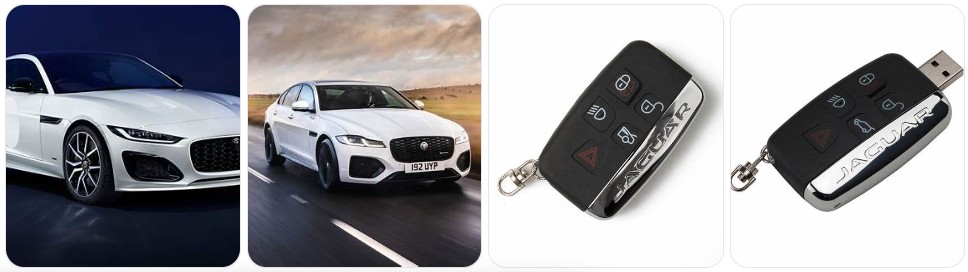
Buy Key Fob Battery Replacement for Jaguar
When shopping for a Jaguar key fob battery replacement, the most important detail is battery size. For most modern Jaguar smart keys, the correct battery is a CR2032 3V lithium coin cell. That is the battery most owners need for popular Jaguar models such as the XE, XF, F-PACE, F-TYPE, and several newer smart key designs. Before ordering, it is still smart to open the key and confirm the battery code printed on the old cell so you match the exact size already installed. If you want to compare options, you can browse Jaguar key fob battery replacements or go straight to CR2032 replacements for Jaguar key fobs.
- CR2032 replacement battery: This is the most common battery for Jaguar smart keys and the best first choice if your fob battery warning has appeared. A simple multi-pack of CR2032 replacements for Jaguar key fobs usually gives you a spare to keep at home. Typical price: about $5 to $14 for a multi-pack.
- Name-brand CR2032 options: If you want better shelf life and more consistent performance, many Jaguar owners prefer trusted brands such as Panasonic CR2032 or Energizer CR2032. Typical price: about $6 to $15 depending on quantity and brand.
- Jaguar key fob shell and battery kits: If your Jaguar remote still works but the case is cracked or the buttons are badly worn, a Jaguar key fob shell and battery kit can be a practical option. Typical price: about $10 to $25.
- Emergency backup battery pack: If you have multiple Jaguar keys in the household, a small set of CR2032 coin-cell packs makes sense so you are not caught off guard by a sudden low-battery message.

Key Fob Batery Replacement for Land Rover (2013-2025) Range Rover Discovery Evoque Defender Velar Sport for Jaguar F-Pace F-Type XE XJ XF LR2 LR4 Evoque Sport Velar (Check Fitment Guide) 2 Packs

2PCs CR 2032 Key Fob Battery Compatible with Land Rover, Jaguar (2010-2026)

Lithdurcell Key Fob Battery Replacement for Jaguar S-Type XJ8 X-Type XFR XK XKR F-Type XJ XF F-Pace XE (4-Pack), DIY with Pry Tools, CR2032
Jaguar Key Fob Battery Replacement by Model
- Jaguar XE key fob battery replacement: Most Jaguar XE smart keys use a CR2032 battery. If your XE displays a smart key battery low message or the remote range drops sharply, a fresh Jaguar XE CR2032 replacement is the right starting point.
- Jaguar XF key fob battery replacement: Jaguar XF smart keys commonly use CR2032 as well. If the car only recognizes the fob intermittently or you need multiple button presses, compare Jaguar XF key fob battery options before opening the remote.
- Jaguar XJ key fob battery replacement: XJ owners should also expect a CR2032 in many smart key versions. Because XJ models carry a lot of comfort electronics, weak fob battery symptoms may show up as inconsistent remote response before complete failure.
- Jaguar F-PACE key fob battery replacement: The F-PACE uses a Jaguar smart key design that usually takes CR2032. If you want a quick replacement on hand, browse Jaguar F-PACE battery options.
- Jaguar E-PACE key fob battery replacement: Most E-PACE remotes also use CR2032. The replacement procedure is similar to the F-PACE and XE, with the emergency key blade used to help open the housing.
- Jaguar F-TYPE key fob battery replacement: Because the F-TYPE is often driven seasonally or less frequently than a daily commuter, owners sometimes discover a weak fob only after the car has been parked for a while. Keeping a spare F-TYPE replacement battery nearby can save time.
- Jaguar I-PACE key fob battery replacement: The I-PACE smart key typically uses a CR2032 coin cell in the fob even though the vehicle itself is electric. If remote functions become inconsistent, the fob battery is still one of the first things to check.
- Older Jaguar models: Some older Jaguar remotes may use a different shell style, but modern smart-key-era Jaguar fobs are most commonly based around a CR2032. The safest approach is to match the battery code already inside your exact remote.
To choose the right replacement key fob battery for Jaguar, start with the battery that is already in your remote, not just the vehicle name. Jaguar smart keys are usually straightforward, and most owners will find a CR2032 inside, but confirming the printed code on the old battery is still the best way to avoid ordering the wrong size. It also helps to choose a quality lithium coin cell from a trusted brand rather than the cheapest no-name option, because a premium battery often gives better shelf life, stronger cold-weather performance, and more reliable daily locking and unlocking. If the outer case is worn too, compare Jaguar replacement key fob shells at the same time.
How to Replace a Jaguar Key Fob Battery
- Gather the tools needed. You will need your Jaguar key fob, the correct CR2032 battery, and a small pry tool or flathead. Many owners use a small flathead screwdriver, a precision screwdriver set, or plastic pry tools to avoid scratching the case.
- Press the release button and remove the emergency key blade. On most Jaguar smart keys, the emergency metal key slides out once the release catch is pressed.
- Open the Jaguar smart key body. Use the emergency key blade or a small pry tool to carefully separate the key fob case at the seam. Work slowly so you do not crack the clips.
- Expose the battery compartment. Once the shell is open, locate the coin-cell battery. In most Jaguar key fobs, this will be a CR2032.
- Remove the old battery carefully. Note the orientation before taking it out. The positive (+) side is usually facing upward in Jaguar smart keys.
- Install the new CR2032 battery. Slide or press the new battery into place in the same direction as the old one. Make sure it sits flat and fully under the retaining contacts.
- Check the contacts before closing. If the contacts look bent, dirty, or loose, the new battery may not make good connection. A gentle visual check here can save you from reopening the fob later.
- Snap the case back together. Align both halves evenly and press them closed until the clips seat fully. Reinsert the emergency key blade.
- Test the Jaguar key fob. Try lock, unlock, trunk release if equipped, and passive entry. If your Jaguar still does not respond normally, reopen the fob and verify battery orientation and fitment.
- Allow passive systems a moment if needed. Some Jaguar owners notice normal operation returns immediately, while others find the system takes a short moment to recognize the fresh battery fully. That is normal as long as the fob begins responding properly.
Common Jaguar Key Fob Problems
- Low smart key battery warning on the dash: This is the clearest sign that your Jaguar key fob battery is near the end of its life and should be replaced with a fresh CR2032 replacement battery.
- Reduced locking or unlocking range: If you have to stand unusually close to the car, the fob battery is often weak even if the remote still works sometimes.
- Buttons only work after repeated presses: This is a classic Jaguar key fob battery symptom and usually appears before the battery fails completely.
- Passive entry works inconsistently: If your Jaguar sometimes detects the fob and sometimes does not, a weak CR2032 battery is one of the first things to rule out.
- Jaguar will not recognize the key after battery replacement: Recheck battery orientation, make sure the coin cell is seated flat, and confirm you installed a true CR2032 rather than the wrong thickness or size.
- Key fob case feels loose or cracked: A weak or broken case can let the battery shift or lose contact. In that case, a Jaguar key fob shell replacement may solve the problem without replacing the electronics.
- Battery drains too quickly: If a new battery dies again unusually fast, the issue may be poor battery quality, bent contacts, internal board damage, or moisture intrusion in the Jaguar key fob.
- Emergency key works but remote functions do not: That usually points to a battery or internal fob problem rather than a lock-cylinder issue on the car itself.

HYMOLKYE Key Fob Remote 315MHz for Land Rover Jaguar 2011-2019 KOBJTF10A
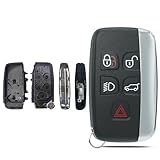
SUPALAND Key Fob Shell Case Replacement Fits for Land Rover Range Rover Sport Evoque LR4 LR2 Jaguar XJ XF XK F-Type F-PACE XE 2012 2013 2014 2015 2016 2017 2018 Keyless Entry Remote Control 5 Button

Smart Key Fob Replacement Fits for Land Rover Discovery 15-18 Discovery Sport 16-18 LR 2 13-14 LR 4 12-17 Rover 11-17 Rover Sport 11-17 Rover Evoque 12-17 Jaguar F-Pace F-Type XE XF XJ
Battery Replacement vs New Key Fob for Jaguar
For most Jaguar owners, replacing the battery is the right first step. It is inexpensive, quick, and often restores normal remote range, passive entry, and push-button start recognition right away. If your Jaguar fob still shows signs of life, such as intermittent lock/unlock response or a low-battery warning on the dash, a fresh replacement battery is almost always the most sensible place to start.
A full new Jaguar key fob makes more sense when the remote housing is badly broken, the internal electronics are damaged, the buttons no longer actuate properly, or the fob still fails even after a correct fresh CR2032 has been installed. If the shell is the only problem, a replacement shell may be enough. But if the transmitter board itself has failed, you are usually looking at a complete replacement fob and, in many cases, programming to match your Jaguar.
Jaguar Key Fob FAQ
What battery does a Jaguar key fob use?
Most modern Jaguar smart keys use a CR2032 3V lithium coin battery. The easiest way to confirm is to open the fob and read the battery code printed on the old battery.
How do I know my Jaguar key fob battery is low?
Common signs include a smart key battery low message, reduced remote range, delayed button response, repeated button presses, or inconsistent passive entry recognition.
Can I replace a Jaguar key fob battery myself?
Yes. In most cases, Jaguar key fob battery replacement is a simple DIY job that takes only a few minutes with the correct CR2032 battery and a small pry tool or screwdriver.
Will replacing the battery erase my Jaguar key fob programming?
No, a normal battery replacement does not usually erase the programming. If the fob does not work afterward, the most likely causes are incorrect battery orientation, poor contact, or another issue with the remote itself.
How long does a Jaguar key fob battery last?
Battery life varies by use, temperature, and battery quality, but many Jaguar key fob batteries last roughly two to four years before performance starts to drop.
Why is my Jaguar key fob still not working after a battery replacement?
Check that you used a CR2032, installed it in the correct direction, and seated it properly under the contacts. If the battery is correct and the fob still fails, the case, internal board, or contacts may be damaged.
Do I need a new Jaguar key fob or just a new battery?
If the fob has weak range, delayed response, or a low-battery warning, you likely only need a new battery. If the remote is cracked, water-damaged, or still nonfunctional after installing the correct battery, a shell replacement or full new fob may be necessary.
Can a weak Jaguar key fob battery affect push-button start?
Yes. A weak battery can reduce how reliably the vehicle detects the fob, which may lead to intermittent passive entry or push-button start recognition problems.